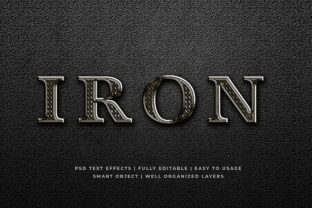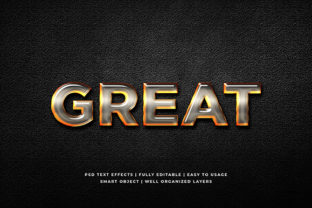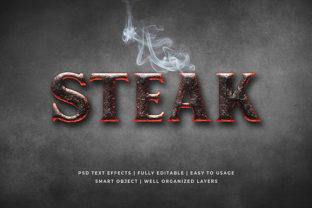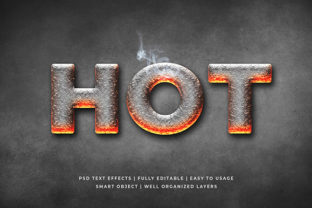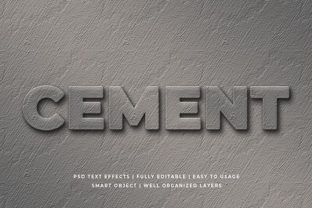
Cement 3D Text Effect Mockup
Imagine typing a brand name, slogan, or headline—and watching it instantly transform into bold, textured lettering that looks like it’s been poured, cured, and chiseled from real concrete. That’s the core idea behind a Cement 3D Text Effect Mockup: a digital design tool that simulates realistic cement texture, depth, shadow, and surface imperfections on typography—without requiring 3D modeling skills or expensive software.
These mockups are typically layered PSD or Figma files (sometimes available in Sketch or Affinity formats), pre-built with smart objects, lighting controls, and editable materials. You drop your text into a designated layer, adjust color or roughness sliders, and export a high-resolution image ready for presentations, social posts, packaging concepts, or client pitches.
Why It Matters—Depending on Who You Are
What feels like a small visual detail to one person can be a strategic asset to another. A Cement 3D Text Effect Mockup isn’t just about aesthetics—it’s about context, credibility, and communication.
For Designers & Marketers Building Brand Identity
If you’re crafting visuals for a construction firm, sustainable architecture studio, urban apparel line, or industrial product launch, realism matters. Concrete evokes strength, durability, and grounded authenticity. Using a Cement 3D Text Effect Mockup lets you test how “Foundry Works” or “Raw Edge Studio” reads—not as flat vector text, but as something tactile and site-ready. You can quickly compare matte gray vs. weathered off-white finishes, or see how shadow depth changes perceived weight across different backgrounds.
For Educators & Students Exploring Material Design
In design foundations or digital media courses, this mockup becomes a low-barrier entry point to understanding material properties in digital space: how light interacts with coarse surfaces, how bump maps simulate texture, why ambient occlusion makes edges feel grounded. Instead of spending hours building a 3D scene in Blender, students tweak sliders and observe cause-and-effect—making abstract principles immediate and visible.
For Small Business Owners & Freelancers on Tight Timelines
You don’t need a motion graphics team to make your café’s “Brick & Brew” sign look hand-cast. With a Cement 3D Text Effect Mockup, you can generate social banners, menu headers, or shop signage in under 10 minutes—even if your only design tool is free-tier Canva (when using compatible PNG-based variants) or Photoshop Express. No subscription, no rendering wait, no learning curve beyond basic layer navigation.
For Hobbyists & DIY Creators Experimenting Visually
Maybe you’re designing custom stencils for concrete garden markers, mocking up a mural concept for your community center wall, or testing font pairings for a handmade ceramics label. The mockup gives you instant feedback: Does that serif hold up at large scale? Does the grit distract from legibility on a dark background? You’re not locked into one outcome—you’re exploring possibilities, safely and repeatedly.
What to Consider Before You Use One
Not all Cement 3D Text Effect Mockups are built the same—and what suits a seasoned art director may frustrate a first-time user. Here’s how priorities shift across experience levels:
- Ease of use: Beginners benefit most from mockups with clear layer naming, video walkthroughs, and minimal required plugins. Look for those labeled “drag-and-drop” or “smart object ready.”
- Flexibility: Experienced designers often prefer files with separate control layers—for rust spots, crack overlays, or dust gradients—so they can fine-tune mood without starting over.
- Output quality: If you’re printing on large-format vinyl or submitting to a print vendor, verify the mockup supports 300 DPI output and includes CMYK-safe color options.
- Commercial license clarity: Freelancers embedding these into client deliverables need explicit permission. Reputable sources state licensing terms upfront—e.g., “use in unlimited client projects” or “requires extended license for resale templates.”
- File compatibility: Check whether your version of Photoshop supports the smart object structure used—or whether the Figma version preserves auto-layout behavior when resizing text.
Real Examples—How It Fits Into Actual Workflows
A blogger reviewing eco-friendly building materials uses a Cement 3D Text Effect Mockup to stylize their post title image: “5 Low-Carbon Cement Alternatives.” The texture subtly reinforces the theme before readers even scroll past the headline—adding cohesion without needing custom photography.
An interior designer pitching a loft renovation drops their firm’s name into a mockup layered over a raw concrete wall photo. The result feels intentional, not decorative—a visual echo of the space’s existing material language.
A teacher preparing a lesson on typography hierarchy creates three versions of the same phrase—one flat, one metallic, one cement-textured—and asks students to discuss which conveys “permanence” most effectively. The mockup becomes a teaching prop, not just a design shortcut.
Does It Fit Your Needs Right Now?
Ask yourself:
- Do you need realism, or just visual distinction? If your goal is to stand out in a crowded feed, even a simplified cement-style overlay may suffice. But if you’re presenting to architects or fabricators, subtlety in grain direction and edge erosion matters.
- Is speed or control more valuable this week? A lightweight mockup gets you to draft fast. A highly layered one offers precision—but only if you have time to explore it.
- Will this be seen on screen or in print? Screen-only use allows for richer shadows and glow effects; print demands clean edges and predictable tonal range.
- Are you building a reusable system—or solving one specific problem? If you’ll use cement styling across multiple assets (logos, signage, merch), investing in a well-documented, scalable mockup pays off. For a one-off banner? A free, single-purpose version may be perfect.
There’s no universal “best” Cement 3D Text Effect Mockup—only the one that aligns with your current tools, timeline, audience expectations, and creative intention. What makes it useful isn’t its technical sophistication alone, but how quietly and effectively it helps you say what needs saying—with weight, texture, and presence.