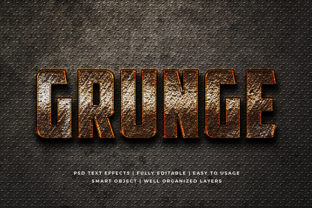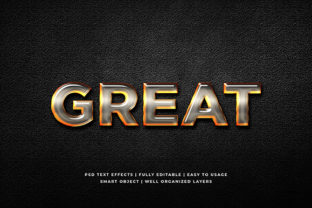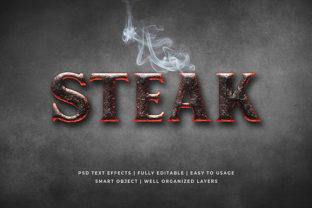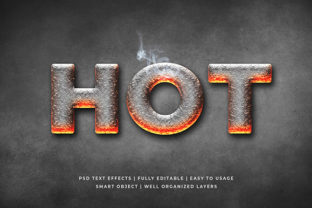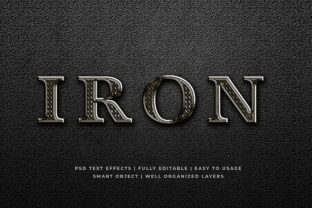
Iron Metal 3D Text Effect Mockup
If you’ve ever needed to present a bold, industrial-strength typographic concept—without welding steel or renting a CNC mill—you’ll appreciate what an Iron Metal 3D Text Effect Mockup delivers. It’s not actual metal. It’s not a 3D-printed prop. It’s a smart digital tool: a high-fidelity Photoshop or Figma file that simulates the look and feel of forged iron text—complete with rust gradients, rivet textures, depth shadows, and ambient occlusion—all layered over your custom copy. Think of it as a visual shortcut: one that conveys weight, resilience, and raw craftsmanship in seconds.
Where This Mockup Fits Into Real Creative Work
Designers, marketers, and small business owners don’t reach for an Iron Metal 3D Text Effect Mockup because they love texture layers—they reach for it because it solves specific communication problems. Here’s where it shows up most meaningfully:
- Brand launches for rugged or heritage-focused businesses — A new distillery naming its flagship bourbon “Black Anvil”? A family-owned auto shop rebranding after 47 years? The Iron Metal 3D Text Effect Mockup instantly signals authenticity, legacy, and hands-on integrity—no stock photo of a blacksmith required.
- Festival and event identity — Music festivals with steampunk, industrial, or post-apocalyptic themes often lean into metallic typography for posters, merch, and stage banners. Using this mockup helps unify visuals across digital and print while keeping production fast and consistent—even when working with freelance designers on tight deadlines.
- Product packaging mockups — Craft beer labels, artisanal tool kits, or limited-edition apparel lines benefit from tactile realism. Slapping your logo onto an Iron Metal 3D Text Effect Mockup gives clients or stakeholders a visceral sense of how the final label or patch will feel—not just how it’ll look on screen.
- Architectural signage concepts — Interior designers pitching lobby signage or wayfinding systems for loft-style offices or mixed-use developments use this mockup to visualize how engraved or welded lettering would integrate with exposed brick, concrete, and steel beams—long before fabrication quotes are requested.
Who Uses It—and Why Their Needs Differ
A freelance graphic designer preparing a pitch deck has different priorities than a marketing manager at a manufacturing firm updating their website hero section. That’s why flexibility matters:
The freelancer values time-saving structure: editable smart layers, organized layer groups (e.g., “Rust Overlay,” “Edge Bevel,” “Light Source Control”), and compatibility with common font formats. They’re less concerned with photorealism and more with speed—getting three distinct variations to a client by noon.
The in-house marketer cares about brand alignment. They’ll tweak the base mockup to match exact Pantone shades, adjust rust intensity to reflect company tone (“aged but trustworthy” vs. “weathered and rebellious”), and export multiple aspect ratios for Instagram carousels, email headers, and trade show backdrops—all from one source file.
The small business owner often uses these mockups via Canva-integrated versions or simplified web apps. They may not know terms like “bump map” or “specular highlight,” but they do know whether “IRONWORKS” looks convincing above their storefront photo—and whether customers pause long enough to read it.
Practical Considerations Before You Drop In Your Text
Not every Iron Metal 3D Text Effect Mockup works the same way—and assuming it will can cost time or credibility. Keep these realities in mind:
- Font choice changes everything — Thin, script-based fonts tend to get visually swallowed by heavy metal textures. Bold, blocky sans-serifs (like Bebas Neue, Montserrat Black, or Orbitron) hold up best. If your brand voice relies on elegance over edge, test contrast early—sometimes a lighter metal finish or brushed-steel variant fits better than raw iron.
- Background context matters — Placing iron-textured text over a busy photo of a workshop floor? You’ll likely need to add subtle drop shadows or inner glows to maintain legibility. Over a clean white background? That same effect might feel flat or disconnected—try adding a faint concrete or weathered steel backdrop layer included with many premium mockups.
- Resolution and output purpose guide your pick — A 300 DPI PSD built for print signage won’t scale well for mobile banners. Likewise, a lightweight PNG overlay designed for social media may lack the depth control needed for a client presentation. Match the mockup’s native specs to your end use—not just your current software.
- Licensing isn’t always plug-and-play — Some free downloads restrict commercial use or prohibit redistribution—even in derivative designs. If you’re building assets for a client, verify usage rights upfront. Reputable marketplaces (like Envato Elements or Creative Market) typically clarify this in plain language, often including extended licenses for agencies.
What It Does Well—and Where It Has Limits
The biggest strength of the Iron Metal 3D Text Effect Mockup is its ability to convey attitude through materiality. Iron implies strength without aggression, history without stiffness, craft without pretension. When used thoughtfully, it adds narrative weight to otherwise flat messaging—making “Est. 1982” feel earned, or “FORGED IN FIRE” feel literal rather than cliché.
But it’s not magic. It won’t compensate for weak hierarchy, poor color contrast, or mismatched tone. A luxury watch brand using iron-textured type for its “Heritage Collection” may unintentionally signal heaviness over precision. Similarly, stacking too many effects—rust + grime + weld marks + smoke overlay—can muddy readability, especially at smaller sizes or on low-resolution screens.
Also worth noting: while modern mockups simulate lighting direction and surface interaction convincingly, they still rely on static light sources. If your project requires dynamic angles (e.g., rotating 3D text in a video ad), you’ll need motion graphics tools—or a 3D suite like Blender—not a layered PSD.
Small Tweaks That Make a Big Difference
You don’t need advanced skills to elevate results. Try these real-world refinements:
- Adjust rust opacity — Dropping rust layers to 30–50% often feels more intentional than full saturation. It suggests patina, not decay.
- Add a subtle noise layer — A soft grain overlay (set to “Overlay” blend mode at 8–12%) mimics the slight imperfection of real metal surfaces—especially effective for print mockups.
- Shift the light source — Most mockups default to top-left lighting. Flipping it to bottom-right creates unexpected depth—ideal for tech brands wanting to imply innovation grounded in substance.
- Pair with complementary textures — Combine your iron text with a worn leather background or matte-black metal panel—not just white space. Context reinforces material storytelling.
Ultimately, the Iron Metal 3D Text Effect Mockup earns its place not as a decorative flourish, but as a strategic shorthand—one that helps your message land with physical presence, even in entirely digital spaces.