Great Glasses 3D Text Effect Mockup
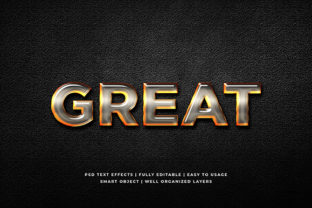
The Great Glasses 3D Text Effect Mockup is a high-fidelity Photoshop (PSD) file designed to place stylized, dimensional text onto realistic eyewear — specifically, modern rectangular or slightly rounded prescription or fashion glasses. It’s not a font, plugin, or generative AI tool. It’s a layered, editable template that lets you preview how headlines, brand names, slogans, or product tags would appear as embossed, engraved, or foil-stamped text on actual glasses frames — all without physical prototyping.
This mockup sits at the intersection of branding, product presentation, and pre-production planning. Designers use it when finalizing packaging labels or retail signage for optical brands. Marketers deploy it to generate social media visuals showing custom-engraved frames before launch. Educators incorporate it into design-thinking exercises where students explore material constraints and surface-based typography. Freelancers leverage it to deliver polished, context-aware concepts to clients who sell personalized eyewear — turning abstract copy into tangible visual proof.
Where It Fits in Your Workflow
You don’t need to wait until final assets are locked to use the Great Glasses 3D Text Effect Mockup. Its value shifts depending on timing:
- Before a project: Use it during discovery or mood board development to test tone and hierarchy. Try “Clarity First” versus “See Better, Live Bolder” on the same frame shape — differences in letter spacing, weight, and perceived depth become immediately visible. This helps align stakeholders early on what “premium,” “approachable,” or “technical” looks like in context.
- During execution: Drop in approved copy at multiple stages — after copywriting, after font selection, after color refinement. Because the mockup includes smart object layers with embedded lighting and perspective, changes to text layer properties (size, tracking, baseline shift) update the 3D effect in real time. You’re not just checking legibility; you’re verifying optical balance across lens curvature and temple width.
- After delivery: Repurpose outputs for internal documentation or client handoff. A single PSD can generate variations for Instagram carousels (close-up frame detail), email banners (full-frame context), and spec sheets (annotated close-ups). No need to re-render from scratch — just swap text, adjust layer opacity for matte vs. gloss finishes, and export.
Integration With Other Tools and Assets
The Great Glasses 3D Text Effect Mockup works best as part of a coordinated toolkit — not in isolation. It assumes you already have or will source:
- A finalized headline or brand phrase (ideally vetted for length and cultural resonance — e.g., “Lumeo” reads cleanly; “Visionary Optics & Co.” may require abbreviation).
- A compatible font — one with consistent stroke contrast and open counters. Sans-serifs like Montserrat, Inter, or Poppins integrate smoothly; highly decorative or condensed fonts risk visual noise against the frame’s subtle texture.
- A color system aligned with your brand palette. The mockup includes layer styles for metallic gold, matte black, brushed silver, and translucent enamel — but those only translate accurately if your text color matches the intended finish’s base tone.
- A workflow that supports PSD round-trips. If you’re collaborating via Figma or Canva, export flattened PNGs with transparency for placement — but retain the original PSD for any future edits. Avoid flattening unless absolutely necessary.
It also interfaces well with asset management practices. Name your smart object layers descriptively (“Logo-Engraved-Gold”, “Tagline-Matte-Black”) so version control tools or team members can trace intent. Store the PSD alongside related files — product photos, style guides, and vendor specs — in clearly labeled folders like /mockups/glasses/engraving/. That reduces friction when updating visuals for seasonal campaigns or regional variants.
Practical Implementation Tips
Start simple. Open the PSD and double-click the default smart object layer. Replace the placeholder text with your own — keep it under 20 characters for optimal fit on most frame fronts. Then adjust:
- Tracking: Increase by 20–50 units for engraved effects; reduce slightly for foil stamping to reinforce cohesion.
- Size: Match cap height to the vertical midpoint of the bridge area — this avoids floating or cramped appearance.
- Layer blending: Reduce the “Bevel & Emboss” layer style opacity to 70–85% for softer, more realistic depth — especially important for matte finishes.
For consistency across multiple products, create a master text layer group with standardized layer styles, then duplicate and rename for each variant. This prevents accidental divergence in shadow angle or highlight intensity — small details that affect perceived quality control.
When sharing previews with non-designers, export two versions: one with a neutral background (for print or web embedding) and one with subtle environmental lighting (a soft gradient overlay) to simulate shelf context. Both should include a 1-pixel transparent border — it ensures clean scaling in CMS editors and avoids cropping errors.
Usability and Long-Term Use
The Great Glasses 3D Text Effect Mockup is built for reuse — not one-off novelty. Its layered structure supports iterative refinement: you can toggle visibility of lens glare, temple texture, or reflection overlays to match specific photography references or lighting conditions. That adaptability means it stays relevant across product lines — whether you’re showcasing titanium frames, bio-acetate, or recycled ocean plastic.
Efficiency gains compound over time. After three to five uses, you’ll recognize which layer adjustments yield predictable results — for example, reducing “Contour” depth by 15% consistently delivers a subtler engraving look ideal for luxury positioning. Document those patterns in a short internal cheat sheet. It becomes part of your team’s shared language — faster onboarding, fewer revision rounds, stronger visual continuity.
Compatibility remains stable across recent Photoshop versions (CC 2021+), but avoid saving over the original file. Instead, use “Save As” with version numbers or dates — great-glasses-mockup-v2-202405.psd. That preserves integrity while enabling safe experimentation. If you work across devices, store the PSD in a synced cloud folder with offline access enabled — no lag when pulling up a last-minute client request.
Real-World Workflow Examples
A freelance brand designer used the Great Glasses 3D Text Effect Mockup to support a pitch for an independent optician launching a “Prescription Art” line. Instead of presenting flat logos, they showed three engraved options — minimalist sans-serif, hand-drawn script, and monogrammed initials — all rendered on the same frame. The client chose the monogram, citing how the 3D depth made it feel “crafted, not printed.” That visual clarity shortened approval from two weeks to two days.
An edtech content team integrated the mockup into a module on “Designing for Physical Products.” Students uploaded their own taglines, adjusted bevel settings to reflect manufacturing constraints (e.g., laser etching vs. pad printing), then compared outputs side-by-side. The tactile realism sparked discussion about legibility at 12 inches — something flat wireframes rarely convey.
A small-batch eyewear startup reused the same PSD across six product pages, changing only text and color. They added a subtle lens flare layer (from their own photo library) to each export to unify the site’s visual rhythm. Result: cohesive storytelling without hiring a retoucher — and a 22% increase in time-on-page for frame detail sections.
None of these outcomes rely on technical wizardry. They rely on using the Great Glasses 3D Text Effect Mockup as a deliberate step — not decoration — in how meaning moves from idea to object.