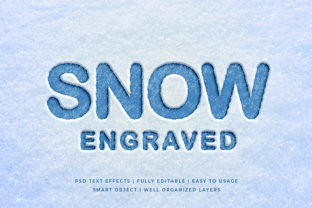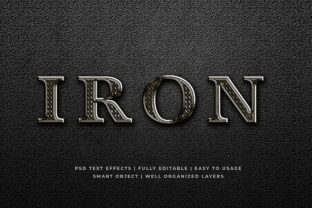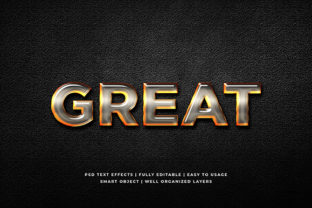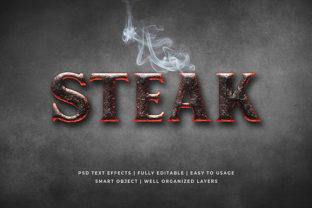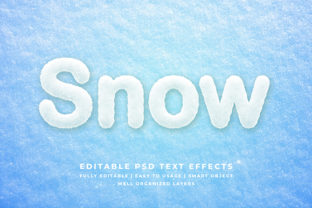
Snow 3D Text Effect Mockup
Imagine crisp, wintry typography that catches the light—not as a flat layer on screen, but as something you almost feel: frosted edges, subtle shadows, delicate snow-dusted surfaces. That’s the essence of the Snow 3D Text Effect Mockup: a ready-to-use digital template that transforms plain text into vivid, seasonally grounded 3D visuals—without needing advanced modeling skills or hours in Blender.
It’s not just about “winter vibes.” This mockup bridges design efficiency and atmospheric storytelling. Built for real-world use, it delivers photorealistic depth, texture, and lighting control—all within familiar tools like Photoshop or Figma. Whether you’re promoting a holiday sale, launching a cozy brand campaign, or designing classroom materials for a winter unit, the Snow 3D Text Effect Mockup gives your message tactile presence and seasonal clarity.
Why It Works Beyond the Obvious
Unlike generic snow overlays or filters, this mockup is engineered for intentionality. Its layered structure lets you adjust snow thickness, ambient light direction, surface reflectivity, and even subtle melt patterns—so your text feels integrated into a believable environment, not pasted on top. That level of control matters when credibility and tone are on the line.
For educators, it means turning vocabulary lists into immersive winter-themed flashcards. For small business owners, it’s a way to make limited-time offers feel urgent and tactile—“25% OFF” doesn’t just sit on a banner; it looks like it’s been carved into ice. And for freelancers juggling tight deadlines? It cuts rendering time from hours to minutes—no stock image hunting, no complex lighting setups, no compromise on polish.
Creative Applications You Can Start Today
The Snow 3D Text Effect Mockup thrives in variety—not repetition. Here’s how different users bring it to life:
- Bloggers & Content Creators: Use it to highlight seasonal headlines (“Your January Reset Starts Here”) or quote graphics for Instagram Stories. Pair with muted blues and soft grays to keep readability high—even on mobile screens.
- Marketers: Apply it to limited-edition product names (“Frosted Peppermint Collection”) or event titles (“Winter Wellness Workshop”). Test variations: heavier snow for luxury positioning, lighter frost for approachable brands.
- Educators: Annotate science diagrams (“Water Cycle Stages”) with frost-textured labels, or create printable reading posters where key terms stand out with gentle 3D contrast—supporting visual learners without distraction.
- Small Business Owners: Drop it into email headers, local ad banners, or printed flyers for holiday markets. Keep branding consistent by reusing the same snow intensity and shadow angle across all assets.
Adapting for Platform & Audience Needs
What works on a large-format poster won’t always translate to a tiny app icon—or a dark-mode website. The strength of the Snow 3D Text Effect Mockup lies in its adaptability:
- For Social Media: Use simplified versions—reduce snow opacity and soften edges for faster load times and cleaner scaling. Prioritize legibility over realism when text appears small (e.g., Instagram post captions).
- For Print: Export at 300 DPI and verify CMYK conversion. Avoid ultra-fine snow details that may blur during offset printing—opt instead for bolder surface texture and stronger contrast between text and background.
- For Presentations: Stick to one dominant snow style per deck. Consistency helps audiences focus on content—not shifting visual treatments. A light dusting works well for corporate slides; heavier frost suits creative pitches or seasonal reports.
- For Accessibility: Always pair the effect with sufficient color contrast (at least 4.5:1 against background). Never rely solely on snow texture to convey meaning—add clear typography hierarchy and supporting icons where needed.
Staying Original Without Reinventing the Wheel
You don’t need to invent new snow physics to stand out. Originality comes from thoughtful pairing—not novelty for its own sake. Try these grounded approaches:
- Combine with authentic photography: Place your snow-textured headline over a real photo of a snowy forest path or a steaming mug against a frosty window—not a generic gradient.
- Anchor it in real context: If promoting a ski resort, use the mockup for trail names (“Summit Ridge”) overlaid on an actual slope map. That specificity builds trust far more than decorative flair alone.
- Modify selectively: Change only one variable at a time—swap the background color, adjust snow density, or rotate the light source—and compare results. Small shifts often yield the most distinctive outcomes.
Remember: the goal isn’t to make every word look like it’s surviving a blizzard. It’s to reinforce meaning through texture and tone. A bakery’s “Hot Cocoa Bar” sign benefits from rich, inviting frost—not icy detachment. A climate nonprofit’s “Act Before Thaw” headline gains quiet urgency from subtle melt lines. Let purpose guide the effect—not the other way around.
Getting Started—Practically, Not Perfectly
If you’re new to the Snow 3D Text Effect Mockup, begin with constraints: pick one project, one platform, and one audience. Open the file, replace the placeholder text with your phrase, and test three settings—low, medium, and high snow intensity. Then ask: Does it improve clarity? Does it support the emotion you want to evoke? Does it still work if someone’s scrolling quickly?
Seasonal design shouldn’t mean seasonal effort. Once you’ve dialed in a version that fits your brand voice, save it as a reusable preset. Build a small library: “Frost Light,” “Glacier Bold,” “Melt Edge”—each tied to specific use cases. Over time, that system saves decisions, not just time.
This isn’t about chasing trends. It’s about having a reliable tool that answers real questions: How do I make my message feel grounded? How do I honor the season without leaning on clichés? How do I communicate warmth, urgency, or wonder—visually and efficiently? The Snow 3D Text Effect Mockup doesn’t promise magic. It offers clarity, craft, and a little winter light—exactly where you need it.