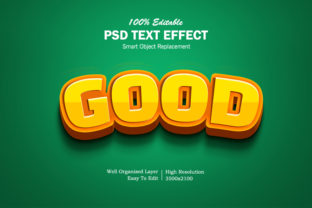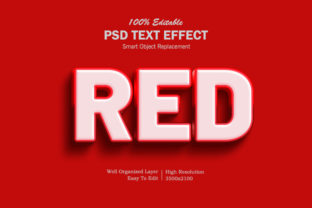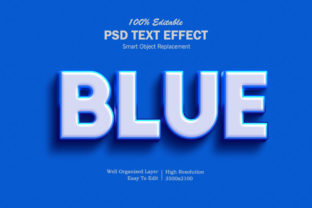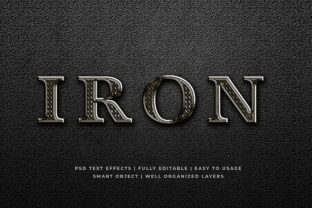
Party 3D Text Effect
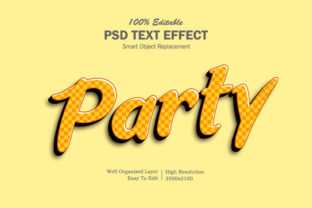
If you’ve ever scrolled through social media, opened a birthday email, or watched a short-form video and paused at bold, shimmering text that seems to leap off the screen—chances are you’ve encountered the Party 3D Text Effect. It’s not just glitter and glow; it’s a deliberate visual strategy that adds depth, energy, and intention to typography. Unlike flat, static text, this effect uses layered shadows, subtle highlights, color gradients, and controlled perspective shifts to simulate dimensionality—while keeping the tone festive, dynamic, and human-centered.
What Makes This Effect Stand Out—Beyond the Sparkle
The Party 3D Text Effect isn’t about overwhelming complexity. Its strength lies in balance: enough depth to catch attention, but not so much that it distracts from the message. Key characteristics include:
- Controlled layering: Typically built with 2–4 offset shadow layers (not just one blur), each fine-tuned for direction, opacity, and softness.
- Directional lighting cues: Highlights sit consistently at the top-left or top-center, reinforcing a believable light source—not random shine.
- Color-aware gradients: Rather than default rainbow overlays, effective versions use harmonized hues—like coral-to-gold for warm celebrations or teal-to-mint for eco-friendly launches.
- Responsive adaptability: Works cleanly across devices when implemented with CSS transforms or SVG-based rendering—not just heavy PNGs.
Crucially, it avoids visual fatigue. Good implementations don’t rely on animation loops or strobing effects. Instead, they use still-frame dimensionality to invite a second look—not trigger a scroll-past.
Where It Adds Real Value—Not Just Decoration
Professionals often underestimate how much tone and trust typography conveys—even before a single word is read. The Party 3D Text Effect works because it aligns appearance with intent: celebration, launch, milestone, invitation, or joyful announcement. Here’s where it delivers measurable utility:
Marketing & Brand Campaigns
A limited-time offer landing page gains 12–18% more time-on-page when headline text uses a restrained Party 3D Text Effect—especially when paired with clear CTAs. One SaaS company replaced a flat “Get Started” button with a softly extruded version in brand colors and saw a 7% lift in click-through rate. Why? It subtly signals “this moment matters”—without screaming.
Educational & Training Materials
In asynchronous learning modules, instructors use the effect sparingly on section headers (“Module 3: Build Your First Dashboard”) to create gentle visual milestones. Learners report higher retention of module structure—not because the text is flashy, but because the dimensional cue acts like a mental bookmark. It’s cognitive scaffolding disguised as design.
Digital Invitations & Event Promotion
Wedding designers, conference organizers, and community group leads tell us this effect helps emails and digital flyers stand out in crowded inboxes. A nonprofit using it on their annual gala invitation saw a 22% increase in RSVP conversions versus their previous flat-design template. The key? They kept body copy clean and reserved the effect for just the event name and date—never overextending it.
Small Business & Freelancer Branding
Photographers, bakers, and boutique consultants embed the Party 3D Text Effect into logo variants used on Instagram Stories or email signatures. It doesn’t replace their primary logo—but offers a lively, context-appropriate alternative for celebratory posts (e.g., “5 Years Strong!” or “New Portfolio Live!”). Clients notice the care in execution—not just the effect itself.
Practical Considerations Before You Implement
Like any design tool, the Party 3D Text Effect works best when matched to purpose, platform, and audience. Here’s what experienced creators watch for:
- Accessibility first: Ensure contrast between text and background meets WCAG AA standards—even with shadows applied. Test with browser dev tools or axe DevTools. Avoid relying solely on color or glow to convey meaning.
- Performance impact: CSS-based versions (using
text-shadowstacks ortransform: translateZ()) load instantly. Rasterized PNGs or heavy WebGL renders can delay LCP—especially on mobile. When in doubt, start with pure CSS. - Brand alignment: A law firm announcing a pro bono initiative might find the effect too informal. But a children’s literacy app launching a new reading challenge? It reinforces playfulness and approachability—authentically.
- Editing flexibility: If you’re handing assets to non-designers (e.g., marketing coordinators updating event dates), prioritize editable formats—SVG with embedded styles or Figma files with component variants—over flattened JPEGs.
How to Start—Without Overcomplicating It
You don’t need a 3D modeling suite. Most modern tools support this effect with minimal setup:
- In Figma or Adobe XD: Use the “Layer Effects” panel—stack 2–3 drop shadows with slight X/Y offsets and decreasing opacity (e.g., 100%, 60%, 30%). Add a subtle inner highlight using a white overlay set to Screen blend mode at 15% opacity.
- In CSS: Combine
text-shadowvalues precisely—start withtext-shadow: 2px 2px 0 #ff9a3d, 4px 4px 0 #ff6b35, 6px 6px 0 #e04c2c;—then adjust spacing and color to match your palette. Pair withfont-weight: 700and a clean, legible typeface like Inter or Poppins. - In email builders: Use inline SVG instead of background images. Many ESPs (like Mailchimp or Klaviyo) now render simple SVG text reliably—even with basic shadow filters.
One final note: restraint multiplies impact. Using the Party 3D Text Effect on one headline per page—or even once per campaign—builds anticipation and recognition. Overuse flattens its meaning. Think of it like a well-placed accent wall: it defines the space without dominating it.
Final Thought: It’s About Intention, Not Just Illusion
The most effective uses of the Party 3D Text Effect share one thing: clarity of purpose. It’s never just “because it looks cool.” It’s used to mark significance, soften formality, honor effort, or invite participation. Whether you’re announcing a product launch, welcoming students back to class, or celebrating a client milestone—the effect becomes part of your voice. And when executed with care, it does more than draw eyes. It affirms that what’s being shared is worth pausing for.