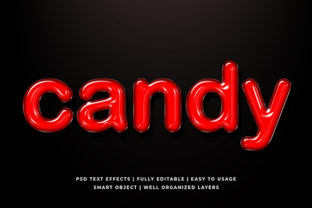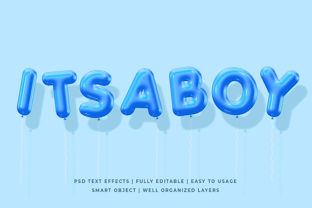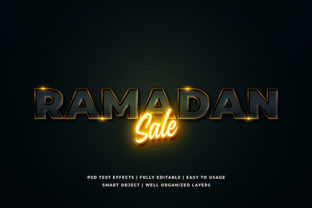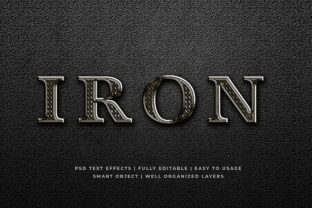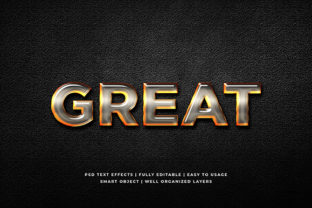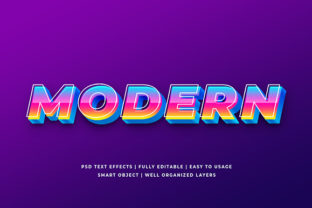
Modern 3D Text Effect Mockup
A Modern 3D Text Effect Mockup isn’t just a visual flourish—it’s a versatile, production-ready tool that bridges design intent and real-world application. At its core, it’s a high-fidelity template (usually in PSD, Figma, or Sketch) that simulates realistic depth, lighting, material texture, and perspective on typography. Unlike flat text layers or basic layer styles, these mockups embed smart objects, editable text fields, and adjustable environment controls—so you drop in your headline, tweak the angle or shadow intensity, and instantly see how it would appear on a product, screen, or environment.
What makes it modern? It avoids dated chrome gradients or overblown bevels. Instead, it leans into subtle ambient occlusion, soft directional lighting, matte metallic finishes, glass-like translucency, or even isometric minimalism—all while maintaining crisp legibility and scalable resolution. That balance—between dimensionality and clarity—is why designers, marketers, and educators reach for it when they need impact without distraction.
Creative Possibilities Beyond the Obvious
Most people first think of social media banners or YouTube thumbnails—but the real value lies in how flexibly this effect adapts across formats and intentions.
- Branding & Identity: Use a Modern 3D Text Effect Mockup to preview how your logo lockup renders as an embossed sign, etched glass door, or neon-lit storefront. Test variations—matte black steel vs. brushed aluminum—to match brand voice before fabrication.
- Educational Content: Teachers and course creators apply it to key terms in slide decks or LMS headers (“Critical Thinking,” “Data Literacy”)—giving abstract concepts visual weight and memorability without cartoonish exaggeration.
- Product Launches: Rather than waiting for physical prototypes, insert your product name into a mockup placed on a sleek desk surface or floating in clean studio space. Share it with stakeholders or pre-launch email lists to build anticipation grounded in realism.
- Print & Packaging: Some mockups include foil stamping, debossing, or UV spot gloss layers. Swap in your tagline and preview how it reads on a business card, book cover, or soap label—before committing to print runs.
How Different Roles Make It Work
Freelancers use it to speed up client presentations: instead of describing “a subtle raised effect with warm backlighting,” they show it—immediately aligning expectations and reducing revision cycles. Bloggers embed these visuals in tutorials or trend roundups to illustrate typographic techniques without needing advanced 3D software. Small business owners repurpose one well-chosen mockup across Instagram posts, Pinterest pins, and email headers—keeping visual cohesion without hiring a designer each time.
For educators and nonprofit communicators, accessibility matters. A Modern 3D Text Effect Mockup helps test contrast ratios and readability at different sizes and angles—ensuring that boldness doesn’t sacrifice legibility. Try exporting the same text at 12 pt and 48 pt: if the smaller version loses definition or becomes muddy, scale back the depth or soften the shadow spread. That kind of iterative testing is built into thoughtful mockup use—not tacked on after.
Style Variations That Serve Real Goals
Not all 3D effects serve the same purpose. Choose based on audience context and platform constraints:
- Soft-Depth Matte: Ideal for corporate reports or academic sites—subtle elevation, no glare, neutral tones. Prioritizes professionalism over flash.
- Isometric Block: Great for tech blogs, SaaS dashboards, or app store screenshots. Gives interface elements spatial logic without overwhelming the UI.
- Glass Morphism + 3D: Works well for modern landing pages or portfolio hero sections—translucency adds lightness; gentle extrusion adds hierarchy.
- Monochrome Metallic: Perfect for luxury brands or minimalist packaging. Uses grayscale + fine grain texture to imply craftsmanship, not gimmickry.
The key is restraint. One strong 3D element per composition usually outperforms stacking multiple effects. If your headline already sits on a textured background, reduce the mockup’s ambient shadow intensity. If you’re pairing it with photography, match the light direction in both layers—left-to-right light in the image? Rotate the mockup’s light source accordingly.
Practical Tips for Consistent, Audience-Friendly Results
Start with your message—not the effect. Ask: What should the viewer understand first? If it’s urgency, go bolder and higher contrast. If it’s elegance, prioritize smooth transitions and refined edges. Then choose the mockup that supports that goal—not the one with the most sliders.
Keep typography legible by limiting font choices to sans-serifs or geometric serifs with open counters (e.g., Inter, Poppins, IBM Plex Sans). Avoid thin weights or overly condensed faces—they collapse under depth simulation. When editing text inside the mockup, type directly into the smart object layer—don’t rasterize unless necessary. That preserves editability across exports.
Export thoughtfully: For web, use PNG-24 with transparency for flexibility across dark/light modes. For print, generate CMYK PDF/X-4 versions with embedded fonts and bleed marks if required. And always save a layered master file—even if you’re only using one variation now. Future campaigns may call for repositioning, color swaps, or animation frames.
Where to Start—and Where Not to Stop
You don’t need Blender or Cinema 4D to explore dimensionality in text. A well-designed Modern 3D Text Effect Mockup gives you professional-grade results in minutes—not days. But it’s not a substitute for intention. Use it to clarify, not complicate. To highlight, not obscure. To connect your words with the world around them—visually, contextually, and meaningfully.
Try this today: Open a mockup, type your core value proposition (“Clarity First,” “Build With Confidence,” “Learn Without Limits”), and export three versions—one with soft depth, one with isometric tilt, one in monochrome metal. Compare them side-by-side. Which best reflects your current audience’s expectations? Which feels most authentic to your voice? That’s not just design work—that’s strategic communication, made tangible.
When used with purpose, a Modern 3D Text Effect Mockup does more than dress up text. It grounds ideas in visual reality—making abstract messages feel present, credible, and ready for action.