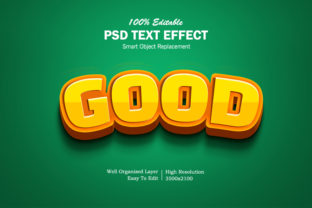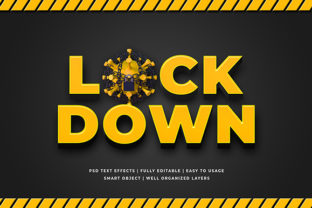
3D Text Effect Mockup: Realistic Typography Visuals
Imagine presenting a new brand slogan, app interface headline, or book cover title—and seeing it rendered instantly with convincing depth, lighting, and surface texture—on a realistic device screen, product label, or urban wall. That’s the practical value of a 3d Text Effect Mockup: not just visual flair, but a fast, accurate way to evaluate how typographic choices land in real-world contexts.
More Than Just “Cool Looking”—A Decision-Making Tool
A 3d Text Effect Mockup is a pre-built, editable design template that simulates three-dimensional text placed within a photorealistic scene. Unlike flat Photoshop layer styles or basic CSS transforms, these mockups use smart object layers, perspective grids, and ambient lighting models to reflect how light interacts with extruded letters on physical surfaces—be it brushed metal, matte cardboard, glossy acrylic, or weathered brick.
This realism matters when stakes are high: a marketing director reviewing campaign assets, a freelance designer pitching to a cautious client, or an educator preparing lecture slides about visual hierarchy. Seeing “Sustain” rise from a recycled paper banner—or “Launch” embossed on a smartphone bezel—helps stakeholders grasp tone, scale, and context before committing to development or print.
Saves Time Without Sacrificing Precision
Creating authentic 3D typography from scratch in Blender or Cinema 4D demands hours of modeling, texturing, lighting setup, and rendering—even for a single word. A well-structured 3d Text Effect Mockup eliminates that overhead. With drag-and-drop text replacement, intuitive shadow controls, and adjustable camera angles, most edits take under two minutes.
For example, a small business owner updating seasonal promo banners can test “Summer Sale” in five different materials (concrete, glass, fabric, wood, ceramic) across three lighting conditions (dawn, noon, dusk) in under 15 minutes—then export all variants for stakeholder review. No 3D software license required. No learning curve beyond basic Photoshop or Figma familiarity.
Strengthens Communication Across Teams
Designers often describe type treatments using terms like “slight bevel,” “soft ambient occlusion,” or “directional rim light”—but those phrases mean little to non-designers. A 3d Text Effect Mockup bridges that gap. When a copywriter sees their headline floating above a coffee cup sleeve with realistic condensation refraction, or a developer sees how letter spacing affects legibility on a curved OLED display, alignment happens faster—and revisions shrink.
One educator shared how using a 3d Text Effect Mockup library helped her graphic design students critique typography not just by font choice, but by spatial presence: “They started asking, ‘Does this weight hold up at 2 meters?’ or ‘Would this gradient survive under fluorescent lighting?’—questions they’d never consider with flat previews.”
Supports Creativity—Without Overcomplicating Workflow
Creativity thrives on constraint—and good 3d Text Effect Mockup collections offer thoughtful boundaries. Rather than infinite parameters, they provide curated material presets (e.g., “oxidized steel,” “frosted glass,” “linen weave”) and intentional lighting scenarios (e.g., “studio softbox,” “streetlamp glow,” “backlit window”). These aren’t limitations; they’re prompts that spark more focused ideation.
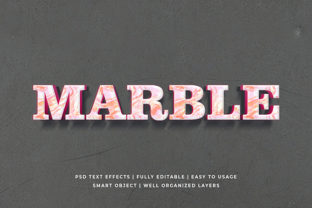
A blogger redesigning their newsletter header used a marble-textured 3d Text Effect Mockup to explore serif weight and kerning—not as abstract settings, but as tactile qualities. The result wasn’t just prettier type—it felt grounded, substantial, and aligned with their voice about slow, intentional living.
Who Benefits Most—and Why It Fits Differently
Freelancers appreciate how a single 3d Text Effect Mockup can serve multiple clients: swap text, adjust color, and re-export for web, pitch decks, or social ads—all from one layered file. Marketers rely on them to rapidly A/B test messaging against visual context (e.g., “Free Shipping” on a delivery van vs. a shopping bag). Educators and trainers use them to demonstrate typographic principles—like how extrusion depth affects readability at distance—without requiring students to master 3D tools.
That said, not every project needs this level of fidelity. If you’re mocking up internal wireframes or drafting quick social captions, flat text overlays may be faster and clearer. A 3d Text Effect Mockup shines when perception, placement, or physicality is part of the message—not just the medium.
Choosing the Right Mockup Matters More Than You Think
Not all 3d Text Effect Mockup files deliver equal utility. Look for templates built with non-destructive editing in mind: smart objects that preserve vector text, layered shadows and highlights you can mute or tweak independently, and resolution-independent canvases (ideally 4000px+ wide). Avoid those that bake effects into raster layers—those lock you in and limit flexibility.
Also consider integration. Many modern 3d Text Effect Mockup libraries now include Figma versions alongside PSD files, enabling real-time collaboration and auto-updating components. If your team uses Canva or Adobe Express, verify compatibility—or budget time for manual adaptation.
Real-World Example: From Concept to Confidence
A podcast host launching a merch line tested three logo treatments using a 3d Text Effect Mockup set for apparel. She placed “Signal Flow” across cotton T-shirt folds, embroidered patches, and woven tote bags—each with accurate fabric stretch and stitch simulation. One variant looked sharp on screen but vanished into the shirt’s texture in preview; another gained unexpected warmth under simulated indoor lighting. Within an hour, she had data—not just opinions—to guide production.
A Note on Authenticity and Expectations
A 3d Text Effect Mockup isn’t a substitute for final 3D rendering—but it’s also not “just a placeholder.” Used intentionally, it compresses feedback loops, reduces costly misalignment, and grounds creative decisions in tangible context. It won’t fix weak copy or poor hierarchy, but it will reveal whether your carefully chosen font has enough contrast against a sunlit brick wall—or whether that vibrant gradient survives on a matte-finish notebook.
The strongest outcomes come when users treat the mockup as a conversation starter—not a finish line. Pair it with real user testing when possible. Compare outputs across devices and lighting conditions. And remember: the goal isn’t photorealism for its own sake, but clarity about how words occupy space—and how that space shapes meaning.
Getting Started Thoughtfully
Begin with one versatile 3d Text Effect Mockup—say, a clean white background with adjustable depth and soft directional light. Master its controls before expanding your library. Name your layers clearly. Save variants with descriptive titles (“Homepage_H1_MatteBlack,” “EmailSubject_GlossyGold”). And always keep a flat version alongside for accessibility checks and CMS uploads.
Over time, you’ll notice patterns: which materials best convey trust, which lighting setups highlight urgency, which depths support readability at thumbnail size. That’s when a 3d Text Effect Mockup stops being a tool—and becomes part of your visual intuition.