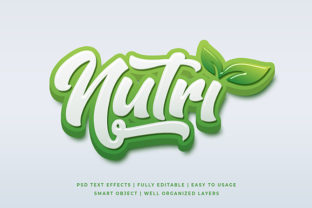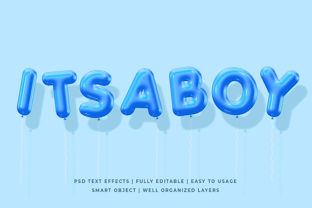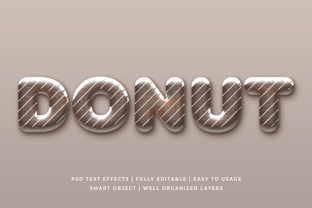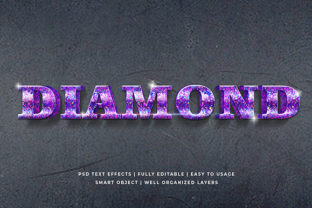
Blacksmith 3D Text Effect Mockup: A Creative Power Tool for Designers and Marketers
Imagine transforming plain, flat text into something that looks forged in fire—bold, dimensional, metallic, and undeniably eye-catching. That’s the magic of the Blacksmith 3D Text Effect Mockup. Far more than just a visual gimmick, this digital design resource bridges craftsmanship and modern creativity, offering designers, marketers, educators, and small business owners an instantly professional way to showcase typography with depth, texture, and authenticity.
What Exactly Is a Blacksmith 3D Text Effect Mockup?
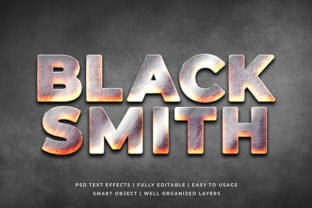
A Blacksmith 3D Text Effect Mockup is a pre-built, layered design file—typically created in Adobe Photoshop or compatible software—that simulates the look of hand-forged metal lettering. It replicates the weight, sheen, rivets, oxidation, hammer marks, and dimensional extrusion you’d expect from real blacksmith work—but digitally, and with full customization.
Unlike generic 3D text generators, these mockups are realistic photorealistic templates. They use smart objects, lighting layers, shadow maps, and texture overlays to mimic how light interacts with curved, hammered steel surfaces. You simply type your text, drop it into the smart layer, and the mockup automatically applies realistic bevels, ambient occlusion, rust gradients, and even subtle smoke or forge glow effects.
Why “Blacksmith” — And Why Does It Matter?
The term blacksmith isn’t just stylistic flair—it signals intentionality and craft. Historically, blacksmiths shaped iron and steel by hand using heat, force, and precision. In design, invoking that legacy communicates strength, durability, tradition, and artisanal quality. Brands in industries like brewing, automotive restoration, outdoor gear, luxury watches, or heritage food products often lean into blacksmith aesthetics to reinforce values like authenticity, resilience, and time-honored skill.
This makes the Blacksmith 3D Text Effect Mockup especially powerful for:
- Brand identity projects—where tone and tactile perception matter as much as color or font;
- Social media banners and ads—where bold, textured visuals stop scrollers in their tracks;
- Packaging concepts—helping clients visualize embossed or stamped labels before physical production;
- Educational materials—illustrating industrial arts, metallurgy, or design history in vivid, memorable ways.
How It Fits Into Today’s Creative Workflow
In a world saturated with flat, minimalist design, the Blacksmith 3D Text Effect stands out—not by being loud, but by being tactile. While many tools generate abstract 3D extrusions, this mockup delivers contextual realism: it doesn’t just say “3D”—it says “forged,” “heated,” “hammered,” “cooled.” That nuance builds instant credibility.
For example:
- A craft brewery launching a new stout might use the mockup to render its name in dark, slightly oxidized steel—complete with faint soot gradients—on Instagram posts and tap handles.
- A woodworking school could feature student project titles in warm, copper-toned blacksmith text on workshop signage mockups—reinforcing hands-on learning without needing physical signage first.
- An e-commerce brand selling handmade leather goods might pair blacksmith-style text with rustic textures to signal durability and human-made care.
Crucially, these mockups are non-destructive and editable. You’re not locked into one font or size—you retain full control over typography, color, lighting angle, and surface finish (e.g., brushed steel vs. matte iron vs. polished chrome).
Common Misconceptions—Clarified
Before diving in, it helps to clear up a few frequent assumptions:
- “It’s just a filter or overlay.” Not true. While some free resources offer simple layer styles, professional Blacksmith mockups use multi-layered PSD files with masked shadows, reflection maps, and displacement textures—designed to respond intelligently to your input.
- “Only useful for ‘industrial’ brands.” False. The effect scales surprisingly well. Subtle blacksmith styling—like soft bevels and warm metallic tones—can elevate a wedding invitation, a boutique café logo, or even a tech startup’s “craftsmanship-focused” product page.
- “Requires advanced Photoshop skills.” No. Most high-quality mockups include step-by-step video guides and intuitive layer naming. If you can double-click a smart object and type, you can use it.
Practical Benefits Beyond Aesthetics
Beyond visual impact, Blacksmith 3D Text Effect Mockups deliver measurable workflow advantages:
- Time savings: Creating realistic metal text from scratch—including lighting, perspective, and texture mapping—can take hours. With a mockup, it takes under two minutes.
- Consistency across assets: Use the same mockup for web headers, email banners, and print comps—ensuring unified brand expression at every touchpoint.
- Client communication: Presenting a photorealistic mockup helps stakeholders visualize final output faster—and reduces back-and-forth on “make it pop more” or “add more dimension.”
- SEO-friendly asset creation: When used in blog headers, infographics, or Pinterest pins, textured, high-contrast text improves click-through rates—indirectly supporting content visibility and engagement metrics.
Choosing the Right Mockup: What to Look For
Not all Blacksmith 3D Text Effect Mockups are created equal. To maximize value and avoid frustration, prioritize these features:
- Smart Object compatibility—ensures easy text replacement without breaking layers;
- Multiple finish options—brushed, rusted, polished, matte, or weathered variants;
- Lighting controls—adjustable highlights and directional shadows to match your scene;
- Background flexibility—transparent PNG export, or seamless studio/dark/industrial backdrops;
- Cross-platform support—tested in Photoshop CC 2020+, Affinity Photo, and sometimes Figma via plugin integrations.
Also check licensing: most premium mockups allow commercial use (including client work), but always verify whether redistribution or resale of the mockup itself is permitted.
Real-World Inspiration: Where You’ve Seen It Before
You may not have known the name—but you’ve likely seen the effect. Think of:
- The engraved, burnished title treatment in Netflix’s Marco Polo or The Witcher marketing;
- The heavy, riveted typography on vintage motorcycle posters or distillery wall art;
- The embossed lettering on artisanal soap packaging or ceramic studio signage;
- Even Apple’s early “Designed in California” campaign subtly echoed blacksmith precision—clean lines, intentional weight, material honesty.
These aren’t accidents. They’re deliberate applications of material-driven typography—and the Blacksmith 3D Text Effect Mockup brings that philosophy within reach of any designer with a laptop.
Getting Started—No Forge Required
Ready to try it? Here’s a simple three-step launch plan:
- Download a trusted mockup from marketplaces like Envato Elements, GraphicRiver, or Creative Market—look for recent uploads with strong reviews and preview videos.
- Open in Photoshop, locate the Smart Object layer (usually labeled “Your Text Here”), double-click to edit, type your phrase, and save.
- Adjust global settings: tweak the “Lighting” group for dramatic contrast, or mute the “Rust Overlay” layer for cleaner, modern steel.
No coding. No 3D modeling software. Just thoughtful typography, elevated by centuries-old craft—digitally reimagined.
Final Thought: Design With Intention, Not Just Impact
The enduring appeal of the Blacksmith 3D Text Effect Mockup lies in its duality: it’s both visually commanding and semantically rich. It doesn’t just catch the eye—it tells a story about strength, process, and care. In an age where attention is scarce and authenticity is currency, that combination is rare—and invaluable.
Whether you're launching a new brand, refreshing social assets, teaching design fundamentals, or simply exploring how texture shapes perception, this tool invites you to slow down, consider materiality, and ask: What feeling should this text evoke—not just what does it say?
That’s not just design. That’s craftsmanship—digitally empowered.